

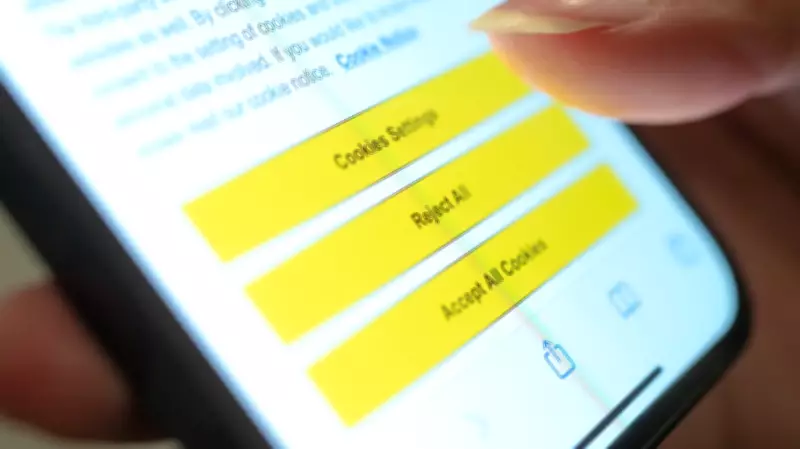
When you visit a website and are asked if you'll accept cookies, you're accepting or rejecting text files. These text files are stored on your web browser, tracking and collecting data from your browser, and sending that information back to the website.
What Are Cookies?
In the mid-1990s, computer programmer Lou Montulli invented these text files and called them cookies because he had heard the term 'magic cookie' from an operating systems course in college. The original magic cookie term was similar to what he was trying to do: improve a website's memory so that websites remember who you are when you return. Without cookies, items in an online shopping cart would disappear if you closed your browser or tab.
Montulli liked the sound of 'cookie,' and the name stuck.

Are Cookies Bad?
'Overall, cookies are not bad or good,' said Cris Angulo, a computer expert at JustAnswer.com. 'Accepting them can be more of a personal preference on the sites you are visiting, allowing you to choose whether to give them data they can use to better tailor your online experience.'
Cookies enable websites to save login information, remember your preferences, and keep your shopping cart items. Without cookies, you'd have to re-enter your ZIP code on a weather site every time or log in to social media repeatedly. In general, a website's cookies are useful and often unavoidable.
Types of Cookies
Tim Finin, a professor of computer science at the University of Maryland, Baltimore County, explains three main types:
- Session cookies: 'The safest and most useful. They help websites deliver content suited for your device and remember choices you've made. They're automatically deleted when you close your browser.'
- Persistent cookies: 'Created by websites you visit and stored on your device. They recognize return visits and remember helpful things like your account. They can only be accessed by the site that created them.'
- Third-party cookies: 'The least useful and most intrusive. These are developed by third parties, not the website you're visiting, and they can save and integrate information about your web activities for marketing.'
Should You Block Third-Party Cookies?
'You may want to block third-party cookies if you don't want your behavior on the web to be tracked by advertisers,' Finin said. When you click 'allow all cookies,' you give websites permission to install dozens of third-party cookies and trackers. These trackers can follow you across the web, telling third-party companies which sites you visit, including sensitive ones like medical or financial sites.
Fred Scholl, an associate teaching professor of cybersecurity at Quinnipiac University, notes that websites may place dozens of cookies on your browser, both first-party and third-party. Third-party cookies belong to ad agencies and data brokers, which embed tracking cookies to monitor your browsing habits and sell that information.
How to Block Third-Party Cookies
You can block third-party cookies by adjusting your browser settings. Search for instructions specific to your browser (Chrome, Edge, Firefox, Safari, etc.). However, some websites may not function properly without cookies. In that case, you can add trusted sites to an allowlist. For example, in Chrome, go to Settings > Privacy and security > Cookies and other site data, then add sites under 'Sites that can always use cookies.'
When Should You Not Accept Cookies?
Steve Weisman, a senior lecturer at Bentley University, warns against accepting cookies on unencrypted websites. If the URL does not have an 's' after 'http' (i.e., https), your data is not protected, and personal information like credit card details can be stolen.
Bottom Line
Accept cookies from websites you trust and use regularly. You cannot avoid cookies entirely, but you can manage them to protect your privacy. Be selective: allow cookies for trusted sites, block third-party cookies, and avoid unencrypted sites. As Weisman says, 'There are plenty of times that you shouldn't allow cookies.'